AI B-Roll Generator (Powered by Seedance 2.5)
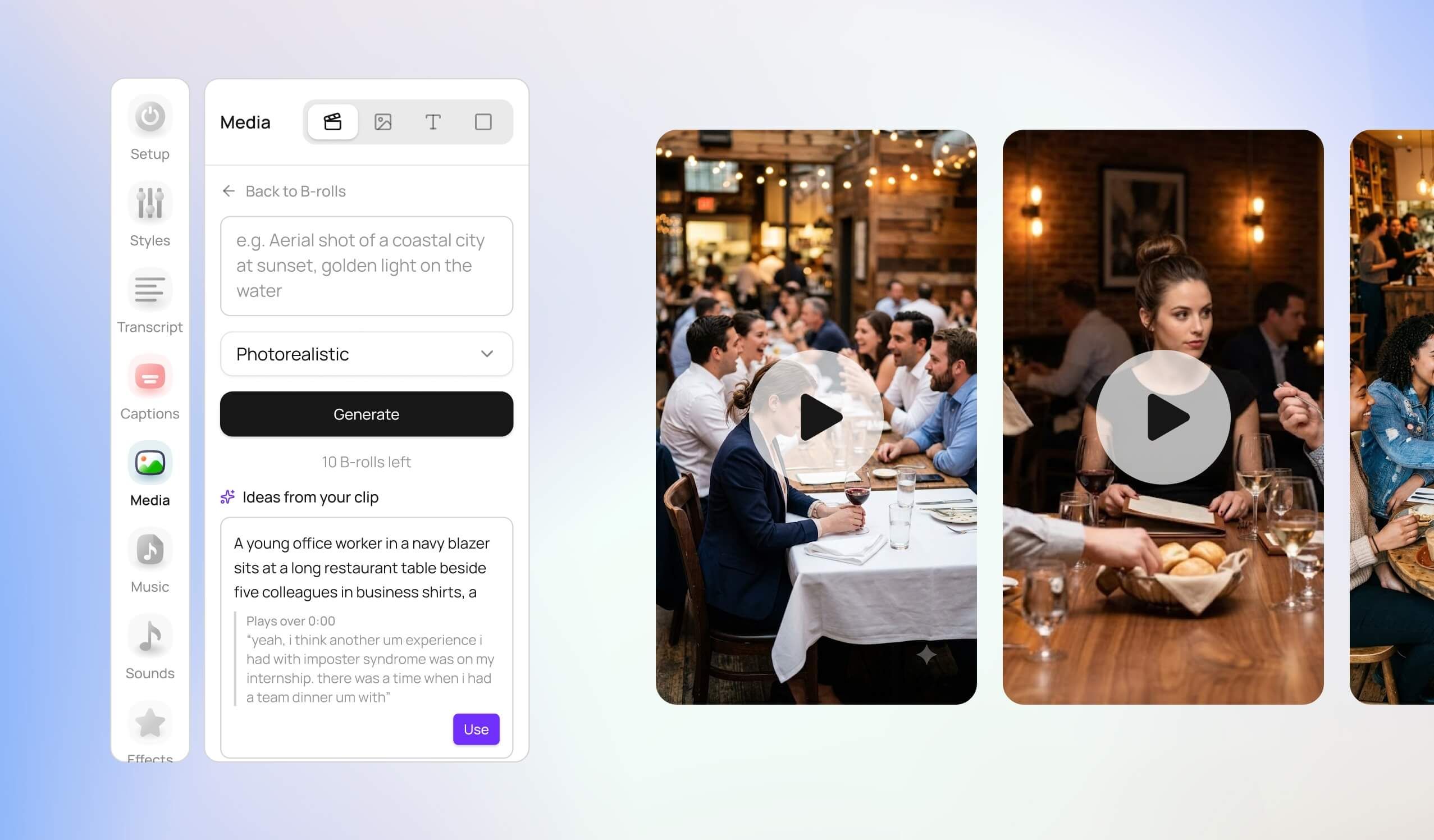
Finding the perfect supplementary footage for your videos just got significantly faster. We’ve just launched our AI B-Roll workflow to give you more creative choices, tailored prompt suggestions, and seamless placement right from your timeline.
✌️ Requirements
Only available for our Creator + Team paid plans (including trial periods).
$2.50 per AI B-roll (3 variations per generation)
✨ Key Features
⚡ 3 Video Variants per Generation: Every time you click Generate, our system automatically creates 3 distinct video variants in parallel so you can pick the shot that best fits your story - or hit Regenerate if you want another batch.
💡 AI Script Context & Prompt Ideas: Unsure what B-roll to generate? The Media tab now analyzes your transcript and suggests contextual prompts under "Ideas from your clip" based on what's being said at that exact timestamp.
🎯 Precise Timestamp Placement: The text box now indicates exactly where your new clip will be placed on the timeline (e.g.,
Will be placed at 0:08), taking the guesswork out of scene alignment.🎨 Dynamic Style Controls: Choose your visual aesthetic—such as Photorealism—with a quick dropdown selection before generating.
⏳ Background Processing: Generations run smoothly in the queue. Feel free to close the B-roll panel and keep editing while your clips render; they'll be ready for you when you return!
🛠️ How to Try It Out
Open the Media tab on the left sidebar and select the B-roll tool.
Select a suggested prompt from "Ideas from your clip" or type your own custom visual description.
Choose your visual style and click Generate.
Browse your 3 generated variants, click Apply on your favorite, and watch it snap directly into your timeline!