Changelog

Follow new updates and improvements to Choppity.

August 8th, 2026

We love seeing creator communities grow using Choppity, and now we want to pay you back for spreading the word. We're officially launching the Choppity Affiliate Program, complete with an exclusive lifetime offer for our founding partners.

✨ New Feature: Affiliate Program Launch

Earn Lifetime Commissions: Join the new Choppity Affiliate Program and start earning by sharing Choppity with your audience.

Founding Affiliate Offer: We are offering 20% recurring commission on lifetime earnings for our founding affiliates! Sign up at choppity.com/affiliates.

August 8th, 2026

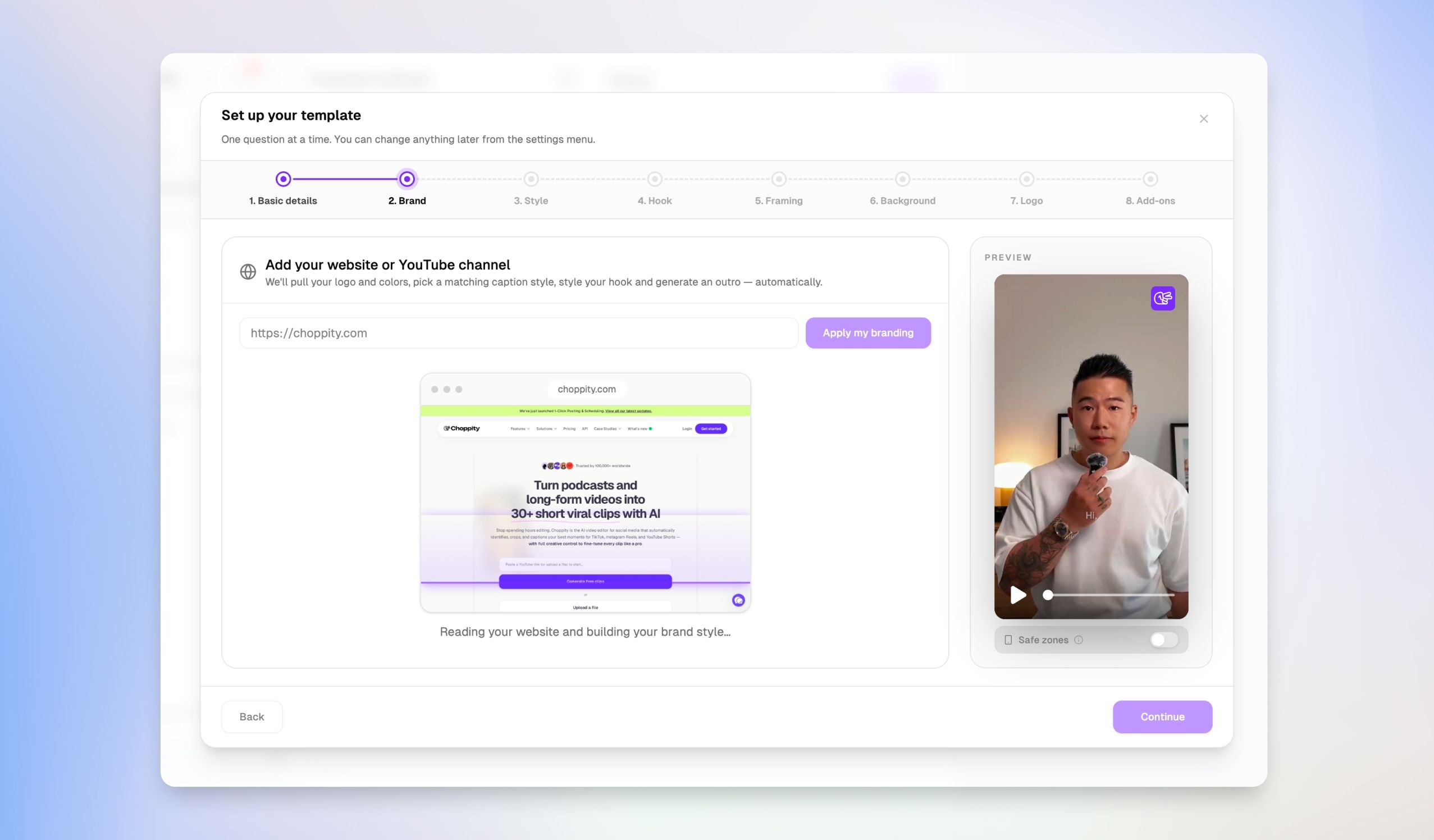
Maintaining a consistent brand identity across all your short-form videos shouldn't require setting up styles from scratch every time. Our new dedicated Brand Template Manager gives you a central hub to build, organize, and tweak your global styling presets with granular precision.

✨ New Feature: Dedicated Brand Template Manager

Centralized Brand Hub: Access a dedicated Brand template page from the sidebar to manage all your global styling presets in one central location.

Granular Preset Settings: Easily configure caption transitions, orientation & framing, background overlays, custom logos, music, and AI hook styles across your templates.

August 8th, 2026

Updating caption styles and hook designs one clip at a time can slow down your publishing momentum. We've upgraded the Customize step so you can set up all your visual preferences upfront before generation, saving you valuable editing time downstream.

✨ New Feature: Full Customization Control Before Generation

Pre-Generation Styling: You now have full control over caption styles, fonts, colors, outlines, transitions, and hooks directly on the Customize step.

Save Editing Time: Apply your exact visual preferences before generating your clips, eliminating the need to update individual clips one by one after they're created.

August 8th, 2026

Finding specific clips across dozens of video projects shouldn't feel like searching for a needle in a haystack. With our new tagging and filtering system, you can now categorize individual clips and surface them instantly whenever you need them.

✨ New Feature: Tagging & Tag Filtering

Tag Your Clips: Easily add custom tags (like #2026 highlight) directly to individual clips to categorize them by theme, project, or release status.

Instant Tag Search: Filter your entire clip library with the new "Filter by tags" dropdown menu to find exact clips in seconds.

August 8th, 2026

As your content library grows, keeping your dashboard clean and navigable becomes essential. We've introduced Project Folders to help you structure your workspace, keep campaigns grouped, and eliminate dashboard clutter.

✨ New Feature: Folders for Project Organization

Stay Organized: You can now create custom folders inside "My projects" to organize your content by year, client, or campaign.

Clutter-Free Workspace: Group related videos and short clips together so your dashboard stays neat as your content library grows.

July 22nd, 2026

We’ve added a brand new Styles panel to give you complete creative control over your video layout aesthetics! Here is what’s fresh in this release:

✨ New Features & Layout Controls

  • Flexible Background Types: Switch effortlessly between Gradient, solid Color, or custom Image backgrounds or set it to None for a transparent canvas.

  • Dual-Color Gradient Picker: Customize your background gradients with precision. Pick your start and end accent colors to instantly elevate your split-screen layouts.

  • Video Padding Slider: Fine-tune the margins around your video frames with a real-time slider to achieve the perfect framing balance.

  • Rounded Video Corners: Easily adjust the border radius of your video frames using the Video corners control for a modern, sleek aesthetic.

July 22nd, 2026

Finding the perfect supplementary footage for your videos just got significantly faster. We’ve just launched our AI B-Roll workflow to give you more creative choices, tailored prompt suggestions, and seamless placement right from your timeline.

✌️ Requirements

  • Only available for our Creator + Team paid plans (including trial periods).

  • $2.50 per AI B-roll (3 variations per generation)

✨ Key Features

  • ⚑ 3 Video Variants per Generation: Every time you click Generate, our system automatically creates 3 distinct video variants in parallel so you can pick the shot that best fits your story - or hit Regenerate if you want another batch.

  • πŸ’‘ AI Script Context & Prompt Ideas: Unsure what B-roll to generate? The Media tab now analyzes your transcript and suggests contextual prompts under "Ideas from your clip" based on what's being said at that exact timestamp.

  • 🎯 Precise Timestamp Placement: The text box now indicates exactly where your new clip will be placed on the timeline (e.g., Will be placed at 0:08), taking the guesswork out of scene alignment.

  • 🎨 Dynamic Style Controls: Choose your visual aestheticβ€”such as Photorealismβ€”with a quick dropdown selection before generating.

  • ⏳ Background Processing: Generations run smoothly in the queue. Feel free to close the B-roll panel and keep editing while your clips render; they'll be ready for you when you return!

πŸ› οΈ How to Try It Out

  1. Open the Media tab on the left sidebar and select the B-roll tool.

  2. Select a suggested prompt from "Ideas from your clip" or type your own custom visual description.

  3. Choose your visual style and click Generate.

  4. Browse your 3 generated variants, click Apply on your favorite, and watch it snap directly into your timeline!

July 21st, 2026

We’ve revamped the audio experience in the editor with an upgraded Music tab and a fully preloaded library of royalty-free music.

Finding the right soundtrack is now faster and smoother than ever. Browse through pre-cleared tracks organized by mood - from Energetic drive and Dramatic orchestration to Relaxing ambient sounds or upload your own MP3 files.

Simply preview a track directly alongside your canvas and transcript to instantly set the tone for your video.

June 16th, 2026

You can now upload a custom logo for your team workspace, making it easier than ever to identify which workspace you are currently working in from the side menu.

By adding a custom identifier, your team's branding will be clearly visible directly in the side menu navigation. This visual update helps streamline your experience, especially if you manage multiple team environments, as shown in the settings overview in.

June 16th, 2026

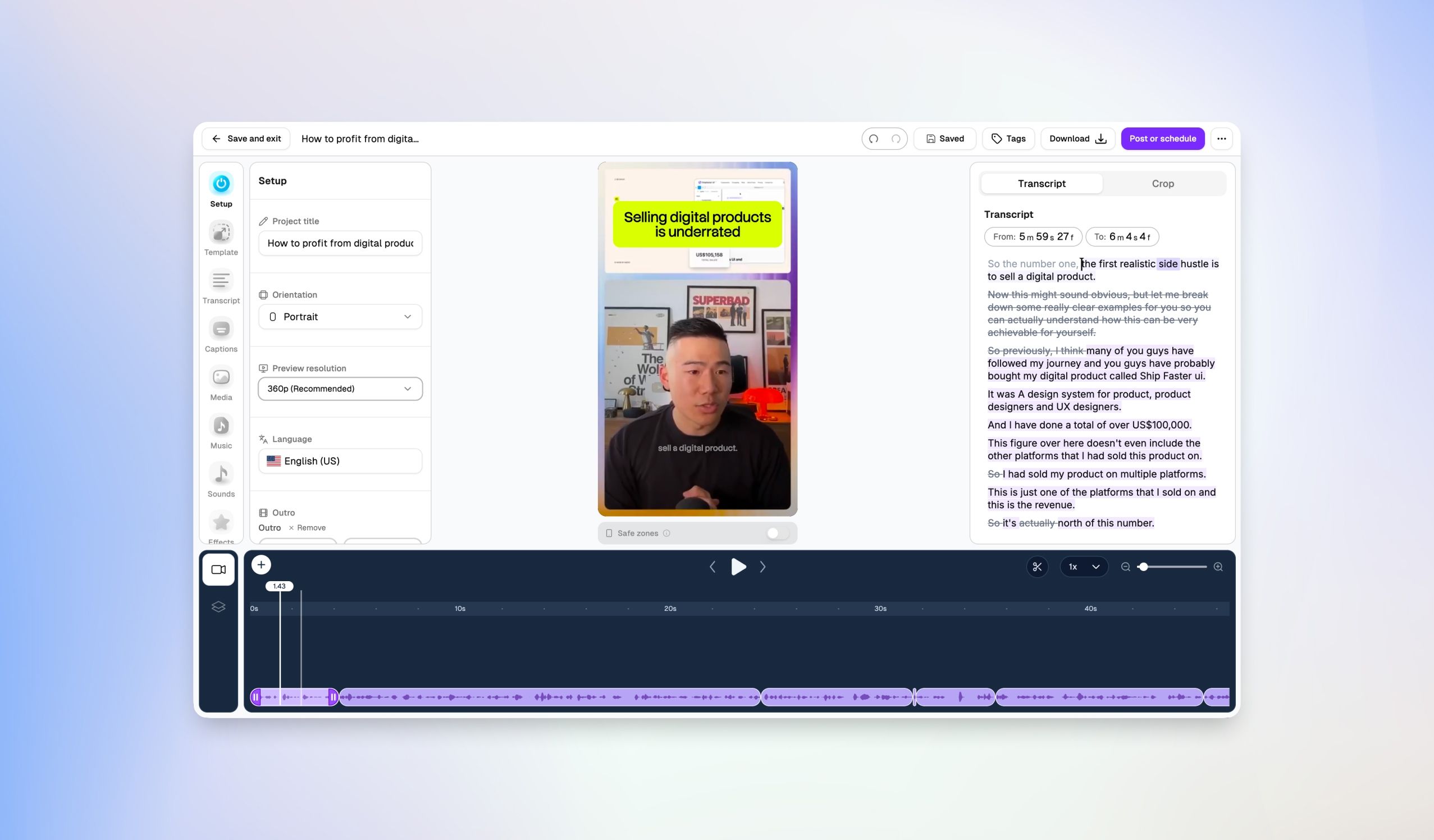
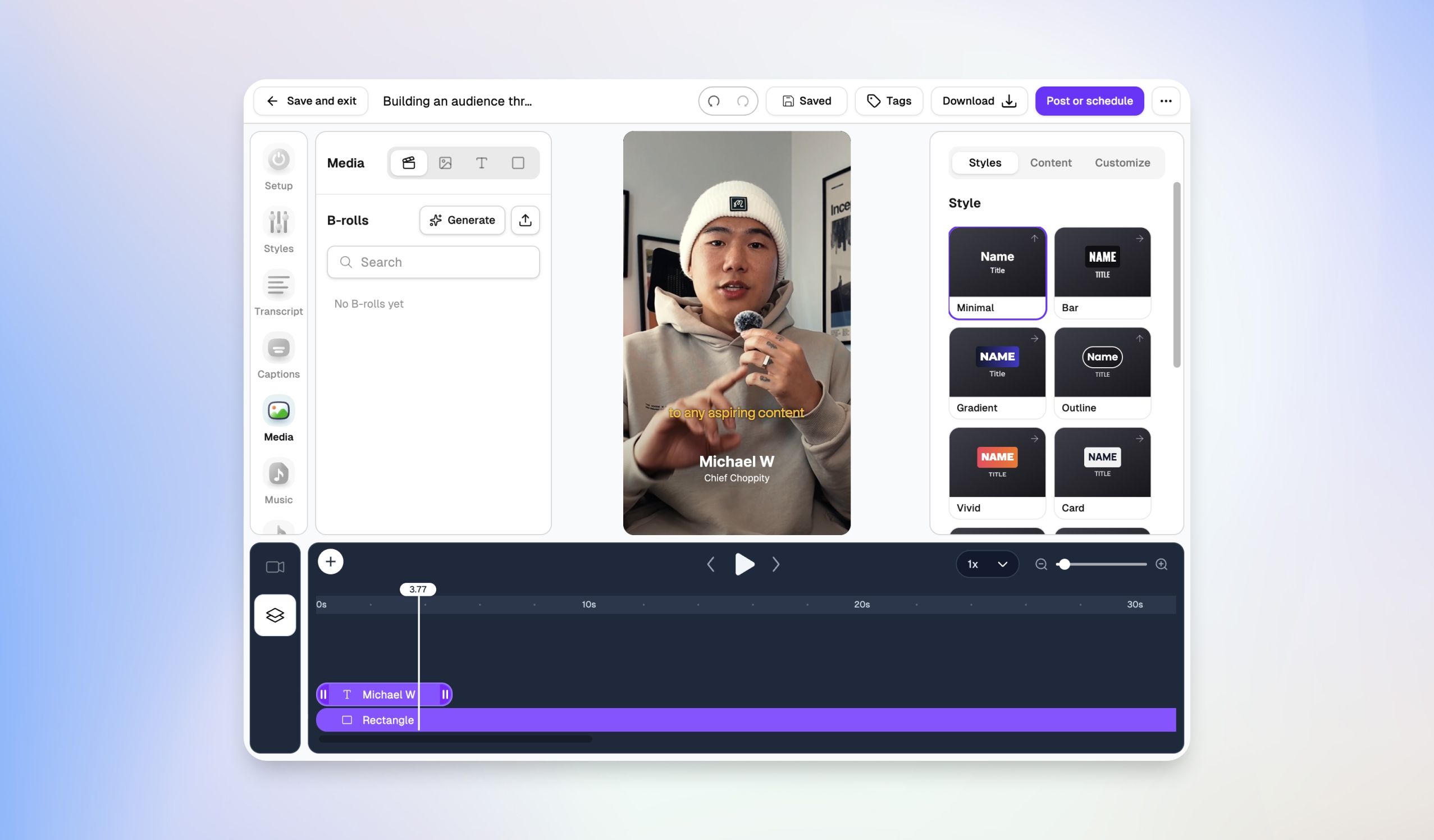
Out with the old, in with the better. We have completely overhauled our video editor from the ground up, bringing you a vastly more powerful, clean, and intuitive studio layout.

Here is what is new in the overhauled editor.

New Choppity Video Editor

πŸŽ›οΈ Unified Sidebar Control Center

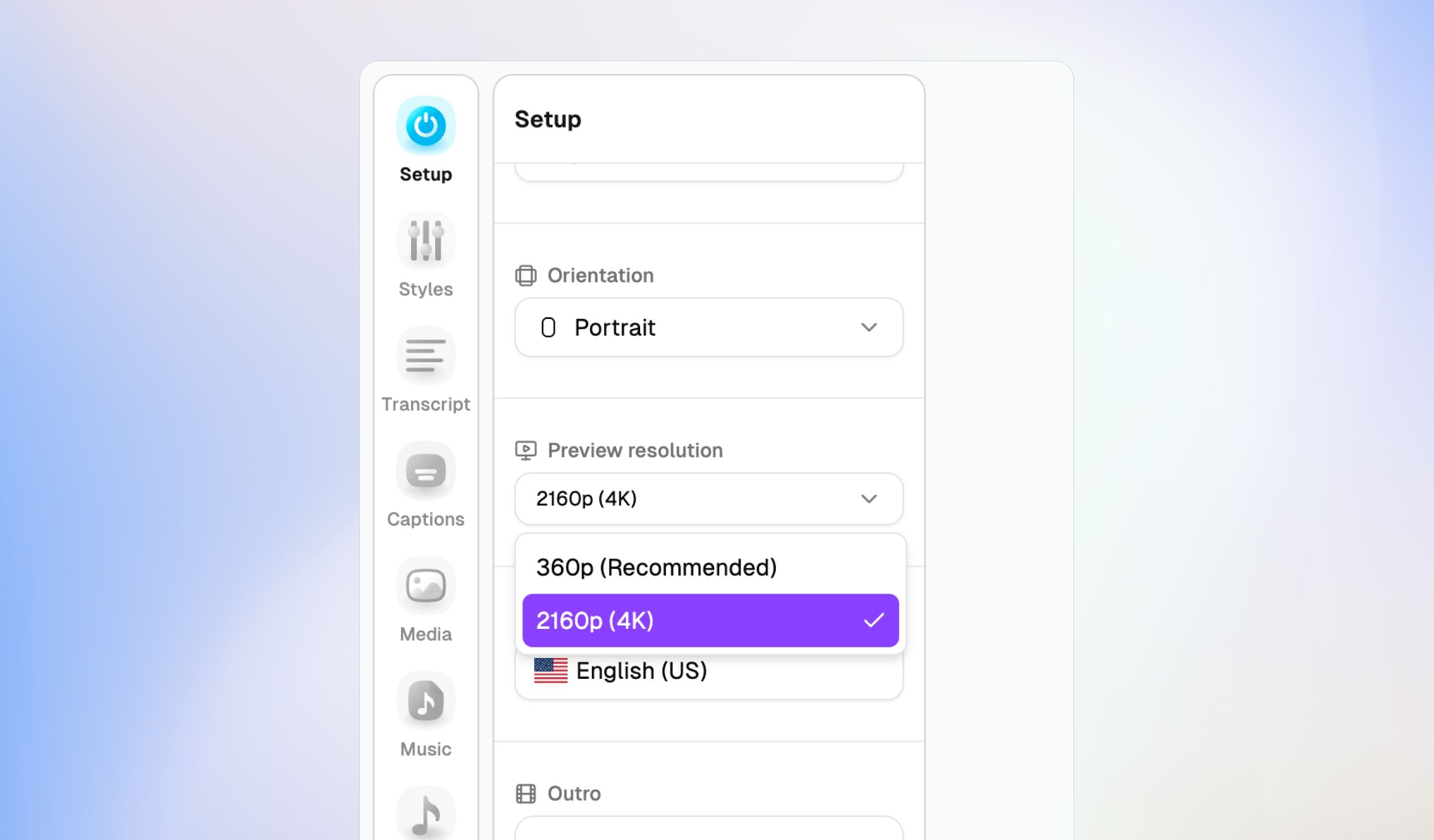
Instead of scattered editing tabs at the top of your screen, everything you need is now consolidated into a slick, left-hand navigation dock. Jump seamlessly between production stages:

  • Setup: Change project titles, switch video orientations (like switching instantly to Portrait), adjust preview resolutions, and select languages.

  • Audio & Video Layers: Fine-tune track settings.

  • Captions: Access dedicated styling and kinetic text animations.

  • Media, Music, & Sounds: Browse and inject background tracks or sound assets directly into your timeline.

⏱️ Pro-Grade Multi-Layer Timeline

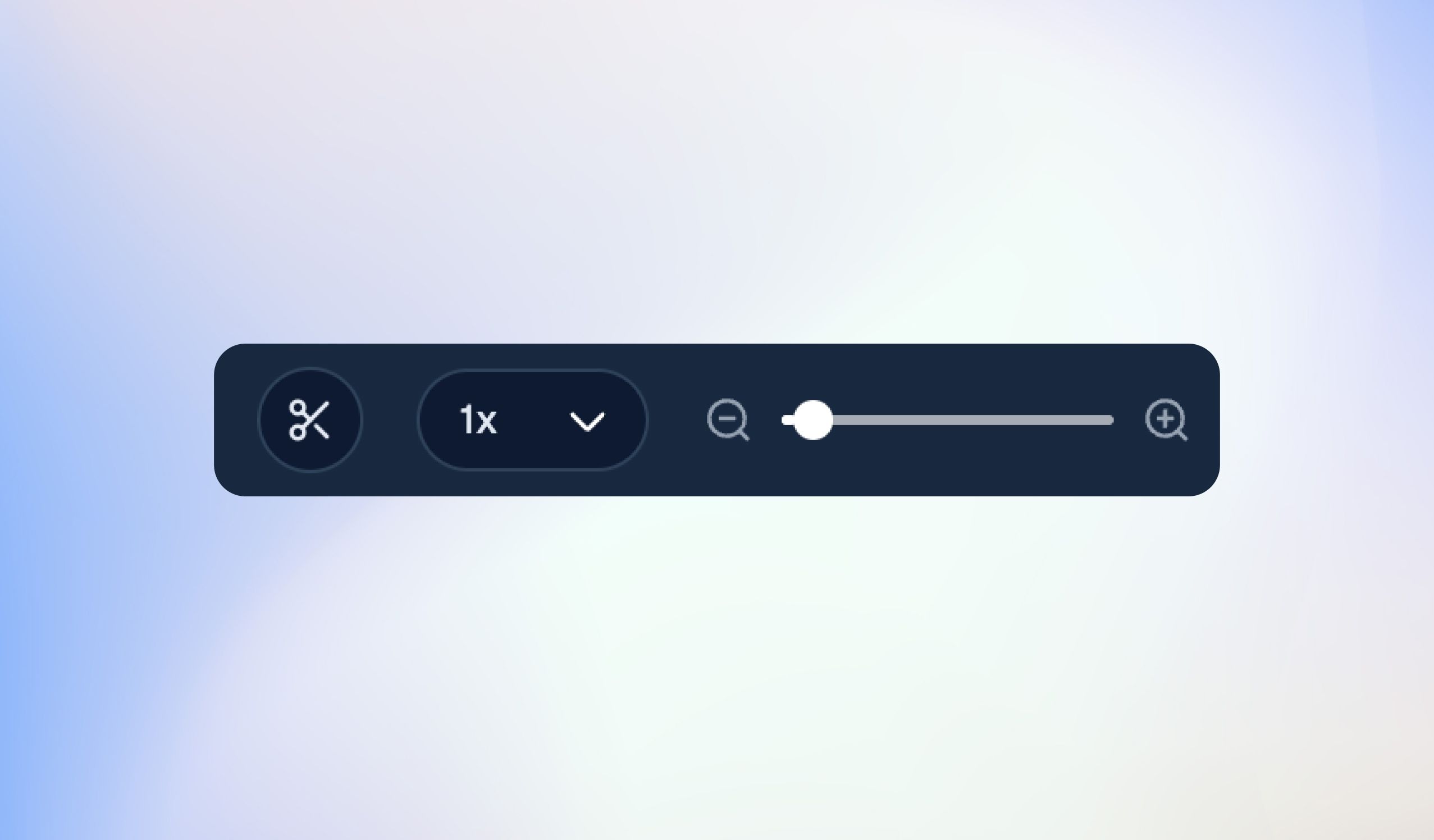
The timeline received a major engineering facelift. It now features highly precise visual audio waveforms, clean scene markers, a dedicated caption layer track, and intelligent AI scene adjustment indicators right on the timeline ruler. Scrubbing, splitting, and previewing your edits is faster and smoother than ever before.

πŸ’¬ Fluid Transcript Editing

We have refined the text-based editing canvas on the right. You get exact timestamp indicators down to the precise millisecond frame (From / To), allowing you to highlight text to cut video segments with flawless accuracy.