Bulk Scheduling of Clips
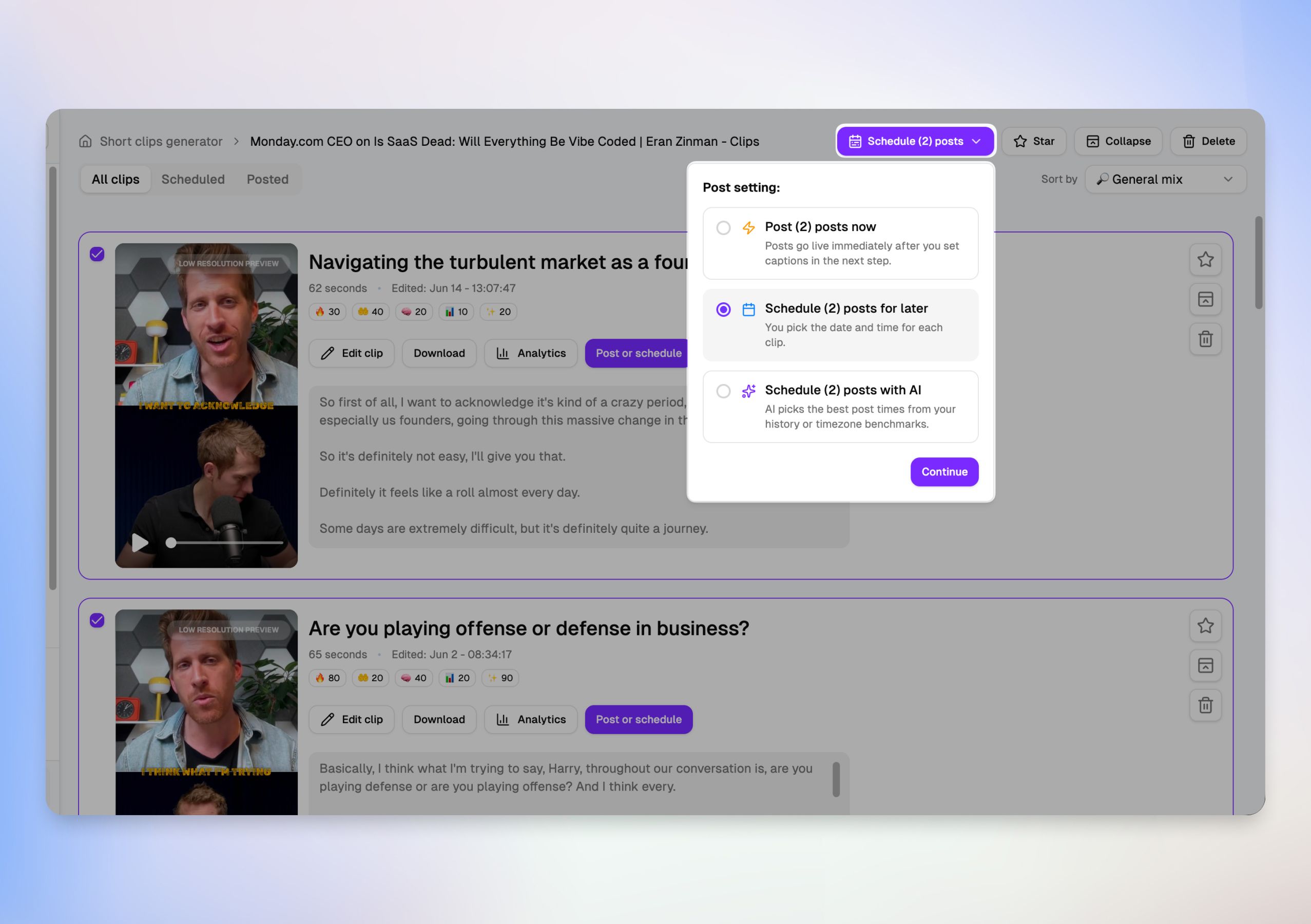
You can now schedule multiple video clips at the same time, saving you from a tedious one-by-one publishing process.
📅 Three Ways to Bulk Publish
When you select your clips and click the main action button, you'll see a new Post setting menu offering three distinct workflows:
Post now: Push all selected clips live immediately after finalizing your captions.
Schedule for later: Manually configure exact dates, times, and timezones for each individual video.
Schedule with AI: Let Choppity automatically calculate and distribute your clips into the best time slots based on your onboarding benchmarks and history.
🛠️ Manual Controls vs. AI Automation
Total Precision: Selecting manual scheduling opens a detailed layout where you can set individual timers, dates, and timezones for every clip side-by-side.
Hands-Free Queueing: Selecting AI scheduling will automatically space out your content over staggered intervals, complete with a purple AI scheduled badge indicator.
📝 Tailored Cross-Platform Captions
Bulk scheduling doesn't mean generic posts. If you are not fond of our auto AI generated titles and captions, you can still expand the Platforms dropdown on any clip to write custom, native captions and titles for Instagram, TikTok, and YouTube simultaneously before launching your queue.