June 16th, 2026

You can now upload a custom logo for your team workspace, making it easier than ever to identify which workspace you are currently working in from the side menu.
By adding a custom identifier, your team's branding will be clearly visible directly in the side menu navigation. This visual update helps streamline your experience, especially if you manage multiple team environments, as shown in the settings overview in.
June 16th, 2026

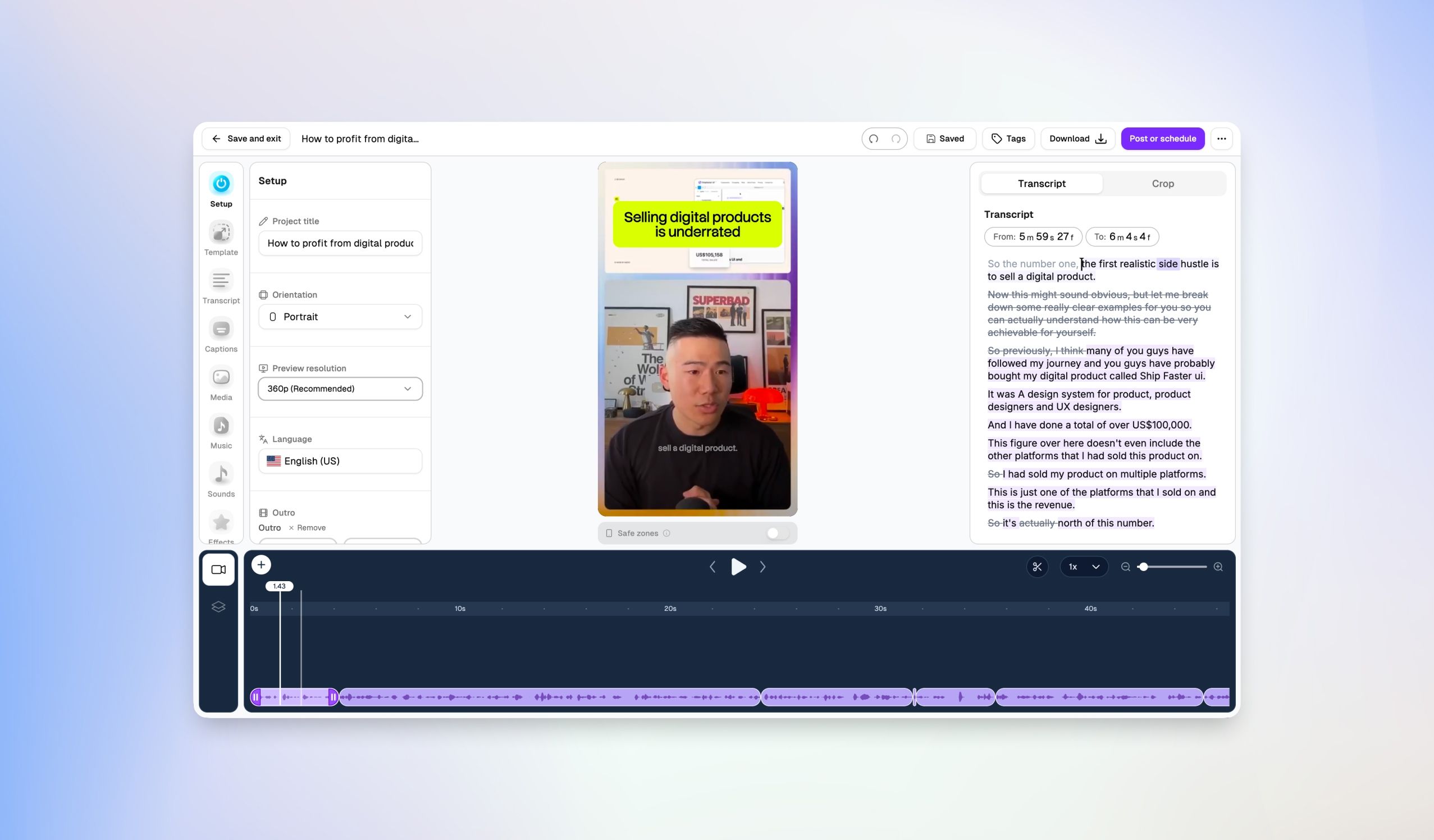
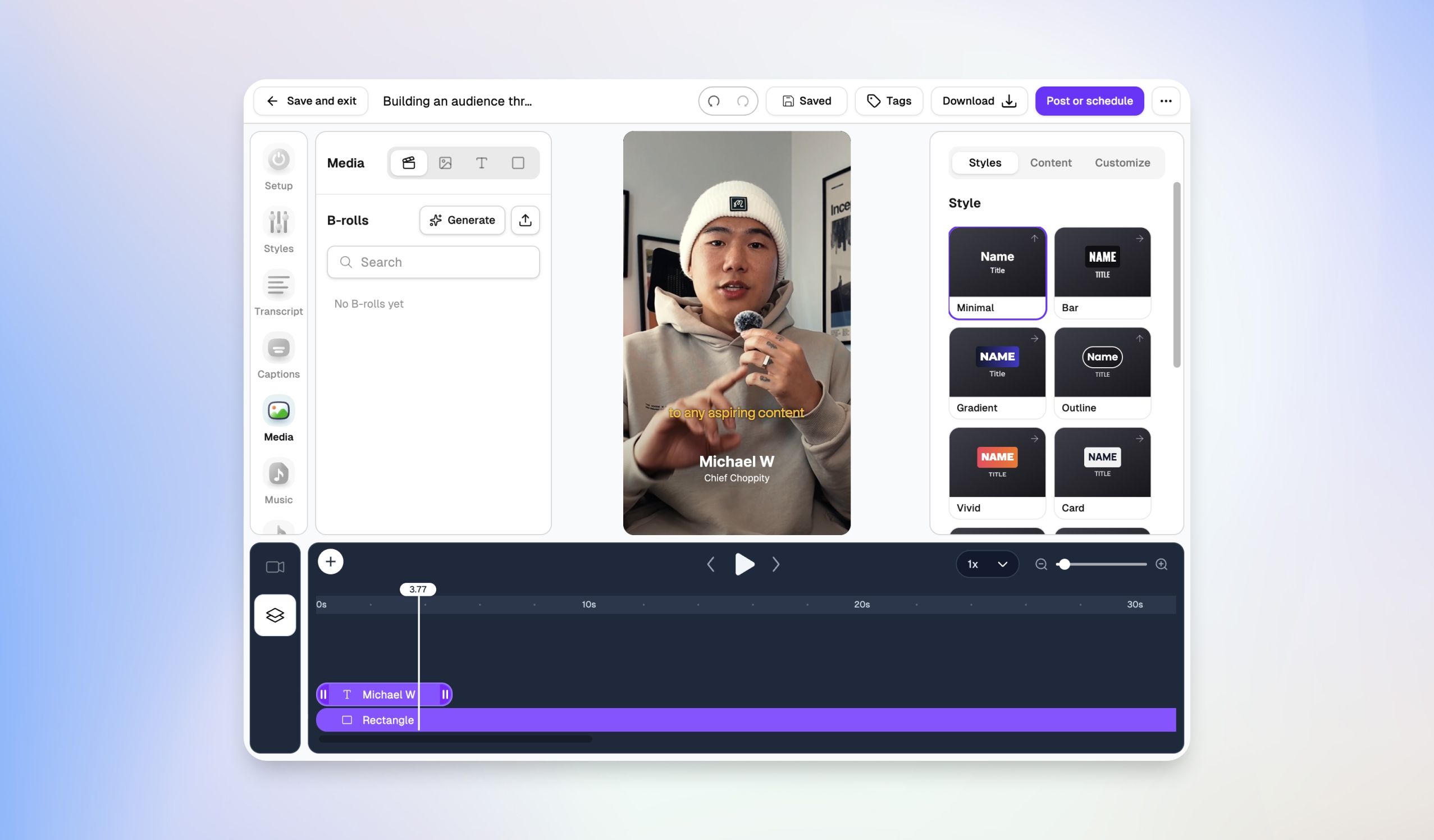
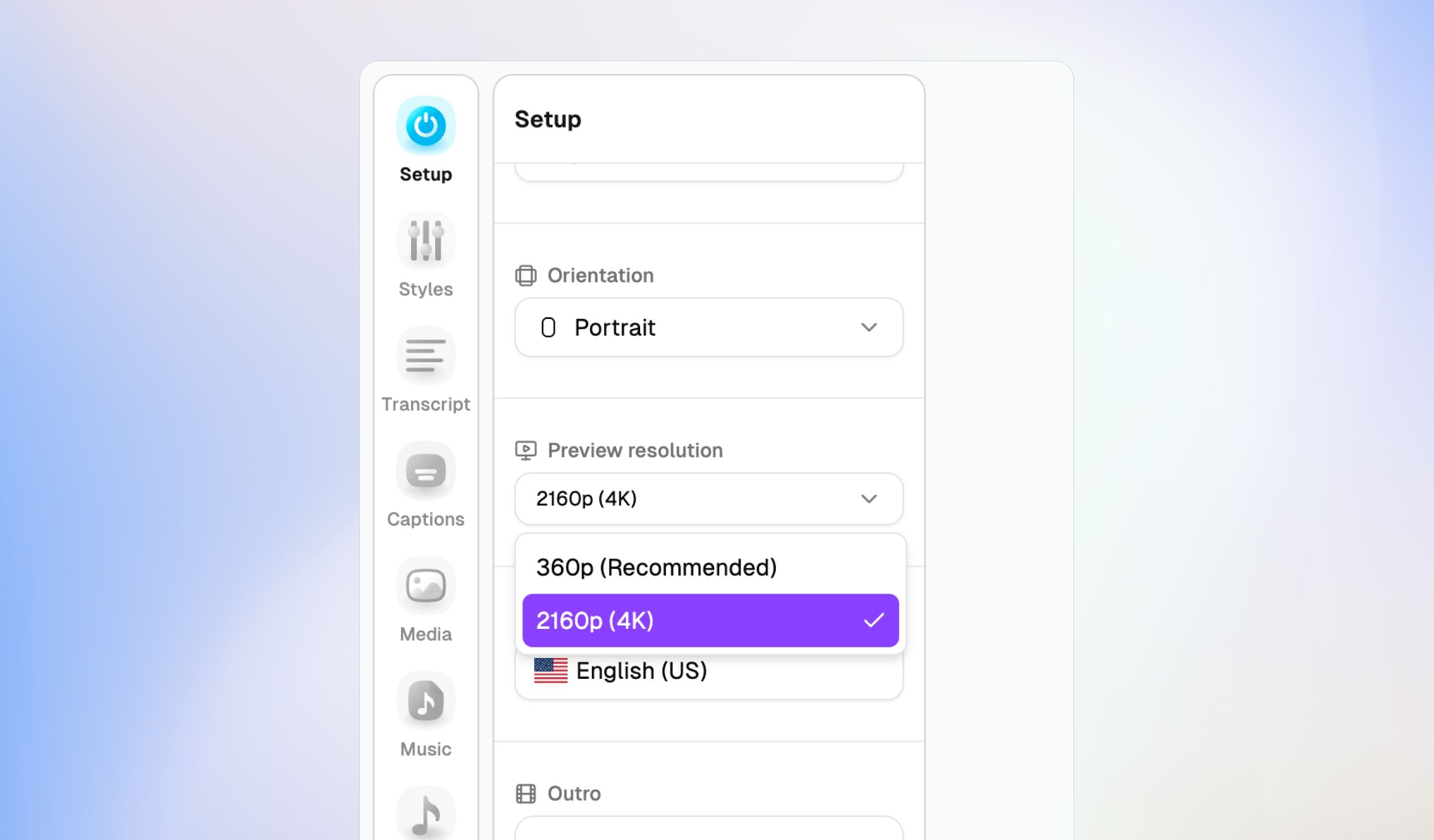
Out with the old, in with the better. We have completely overhauled our video editor from the ground up, bringing you a vastly more powerful, clean, and intuitive studio layout.
Here is what is new in the overhauled editor.

Instead of scattered editing tabs at the top of your screen, everything you need is now consolidated into a slick, left-hand navigation dock. Jump seamlessly between production stages:
Setup: Change project titles, switch video orientations (like switching instantly to Portrait), adjust preview resolutions, and select languages.
Audio & Video Layers: Fine-tune track settings.
Captions: Access dedicated styling and kinetic text animations.
Media, Music, & Sounds: Browse and inject background tracks or sound assets directly into your timeline.
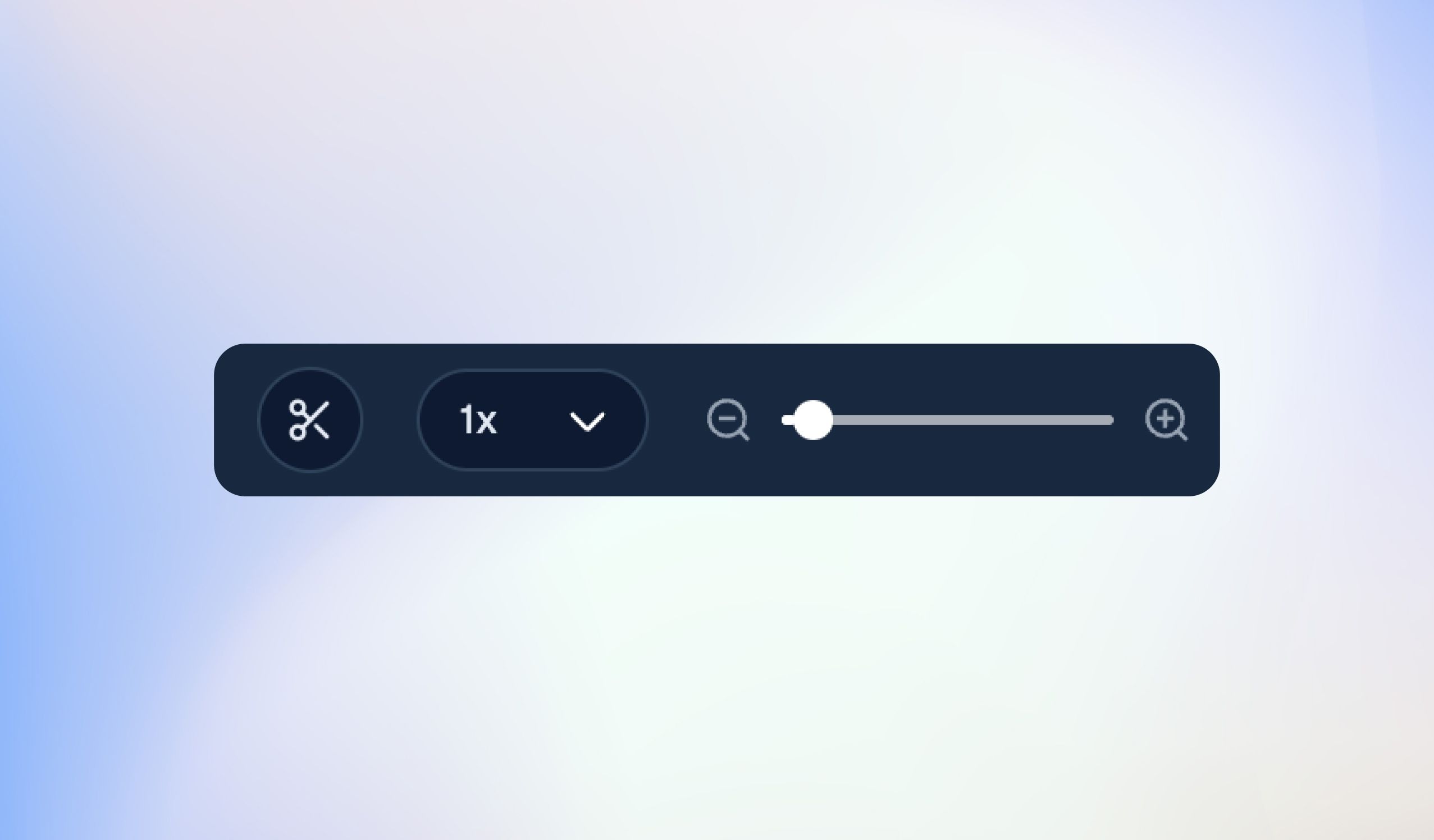
The timeline received a major engineering facelift. It now features highly precise visual audio waveforms, clean scene markers, a dedicated caption layer track, and intelligent AI scene adjustment indicators right on the timeline ruler. Scrubbing, splitting, and previewing your edits is faster and smoother than ever before.
We have refined the text-based editing canvas on the right. You get exact timestamp indicators down to the precise millisecond frame (From / To), allowing you to highlight text to cut video segments with flawless accuracy.
June 16th, 2026

You can now schedule multiple video clips at the same time, saving you from a tedious one-by-one publishing process.
When you select your clips and click the main action button, you'll see a new Post setting menu offering three distinct workflows:
Post now: Push all selected clips live immediately after finalizing your captions.
Schedule for later: Manually configure exact dates, times, and timezones for each individual video.
Schedule with AI: Let Choppity automatically calculate and distribute your clips into the best time slots based on your onboarding benchmarks and history.
Total Precision: Selecting manual scheduling opens a detailed layout where you can set individual timers, dates, and timezones for every clip side-by-side.
Hands-Free Queueing: Selecting AI scheduling will automatically space out your content over staggered intervals, complete with a purple AI scheduled badge indicator.
Bulk scheduling doesn't mean generic posts. If you are not fond of our auto AI generated titles and captions, you can still expand the Platforms dropdown on any clip to write custom, native captions and titles for Instagram, TikTok, and YouTube simultaneously before launching your queue.
May 30th, 2026

Stop the scroll before they decide to scroll.
The first second of a short-form video does 90% of the work. If you don't hook the viewer immediately, the rest of the clip doesn't matter.
So we built it in.
Toggle Auto Hooks on, and Choppity automatically adds a short, scroll-stopping text hook to the top of every clip for the first few seconds. It reads the clip, finds the most debate-worthy angle, and writes a bold one-liner that makes people stop, react, and watch.
Example: a clip about Trevor Noah talking about being late to a birthday becomes "Being late on your birthday is acceptable" β a take strong enough that people have to weigh in.
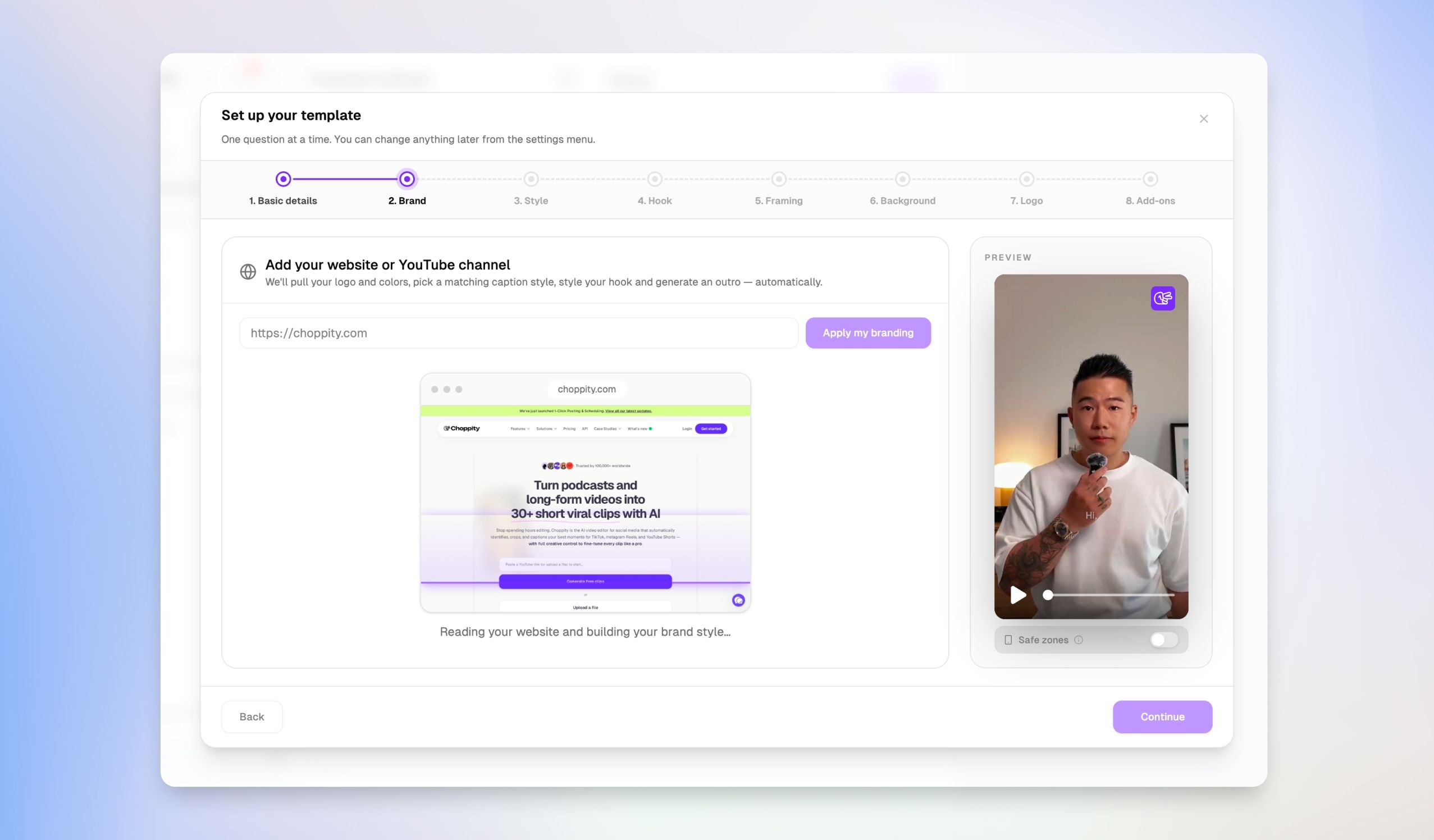
Flip the toggle on in your Customize settings (first step after you upload your video)
Choppity generates a unique hook for the first 10 clips in the batch
Edit the wording, restyle the look, or remove it entirely β per clip, inside the editor
Works with all existing caption styles and transitions
Hooks are the difference between 200 views and 200k. Writing a sharp one for every clip used to be the most tedious part of the workflow. Now it's a toggle.
Auto Hooks is live now. Give it a try on your next project.
Michael
Chief Choppity
May 30th, 2026

Choppity started as an AI video clipper. One job, done well. Turn long videos into short clips, fast.
But the more we used it, the more we noticed something: clipping was not the only bottleneck. The real mess was everything around the clip. Ideas scattered across Notion. Captions written in a different tab. Scheduling done somewhere else entirely. Five tools, no memory between them.
So we rebuilt Choppity from the ground up. Not as a clipper with extras bolted on, but as a full Content OS β every part of the creator workflow under one roof.
Here's what's new.

A proper home for every idea, from "what ifβ¦" to "scheduled and live."
Ideas board with Backlog, To Do, In Progress, and Scheduled columns
Tag posts by platform (YouTube, TikTok, Instagram, LinkedIn)
Calendar view so you can see your whole month at a glance
Everything connected β drag an idea to scheduled and it shows up on your calendar instantly
No more guessing what you posted last week or what's going out next.

Plan, write, and store every post in the same place you'll publish it from.
Rich text editor built for captions, descriptions, and scripts
Platform tags so you know exactly where each draft is headed
Due dates, status tracking, and a "Ready to Post" handoff straight into the scheduler
Full version history β nothing gets lost
The Notion tab is officially closed.

Post everywhere with one click.
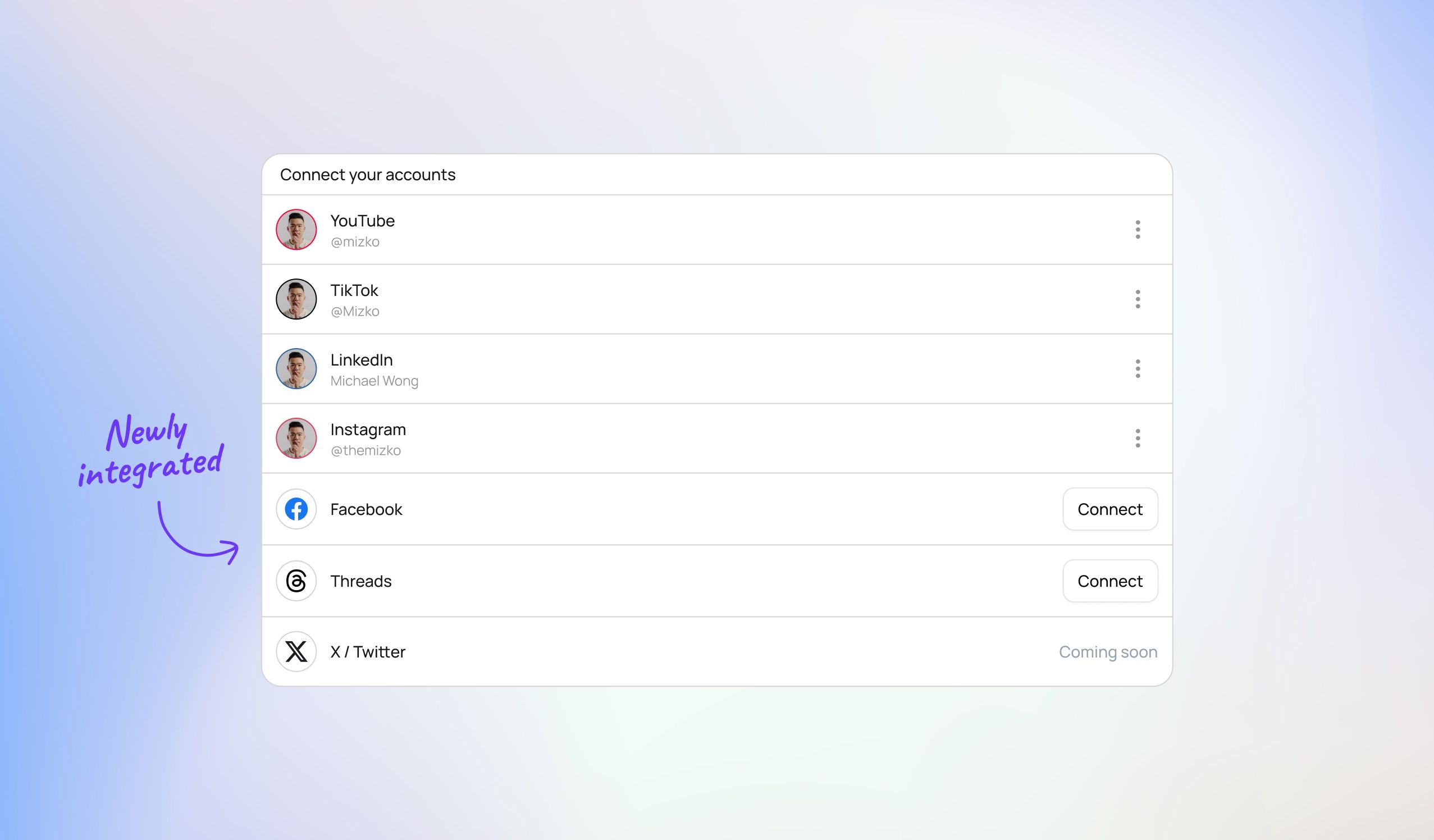
Native posting to YouTube, TikTok, Instagram, and LinkedIn
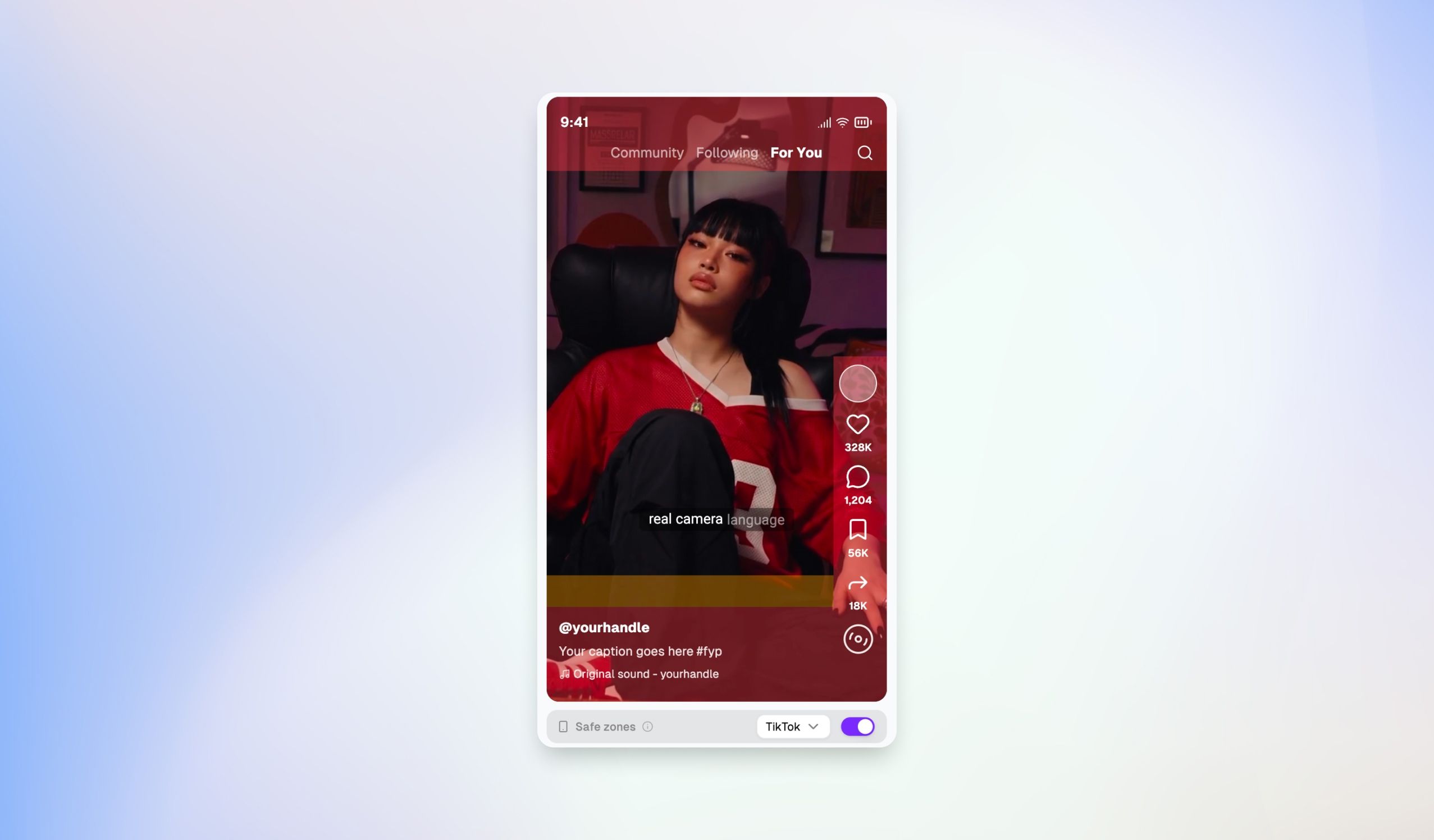
Live preview of how the post will look on each platform before it goes out
Custom thumbnails, descriptions, categories β all the platform-specific stuff handled
Schedule ahead or post now

The thing that started it all, now sharper than ever.
Smarter AI that actually understands what makes a clip worth posting
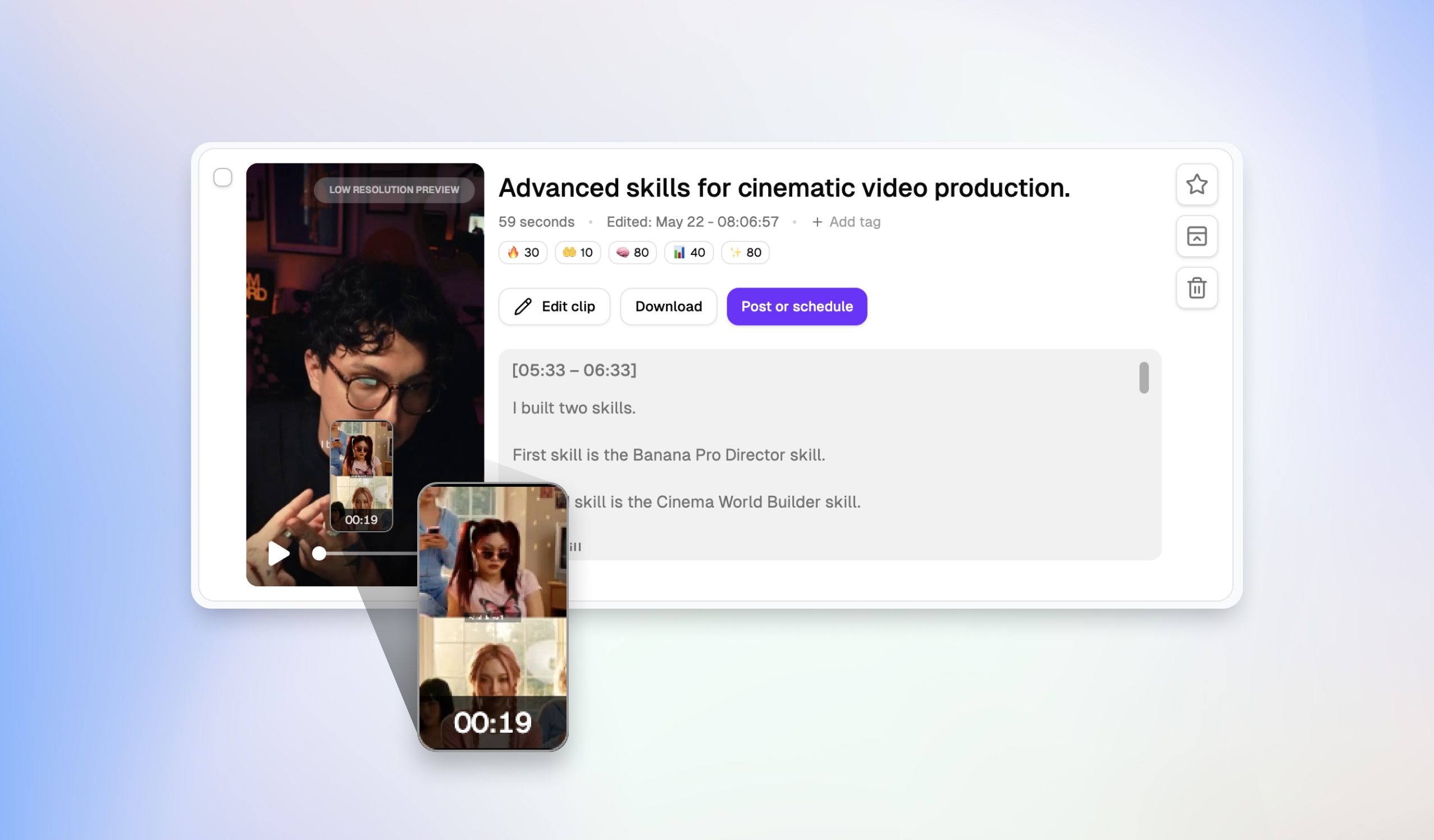
Virality, engagement, and hook scores on every clip
13+ caption styles (Basic, Modern, Funky, Hormozi, Elegant, and more)
Caption transitions (Fade Up, Fade Down, Bounce, etc.)
Edit clips, post or schedule them, all without leaving Choppity
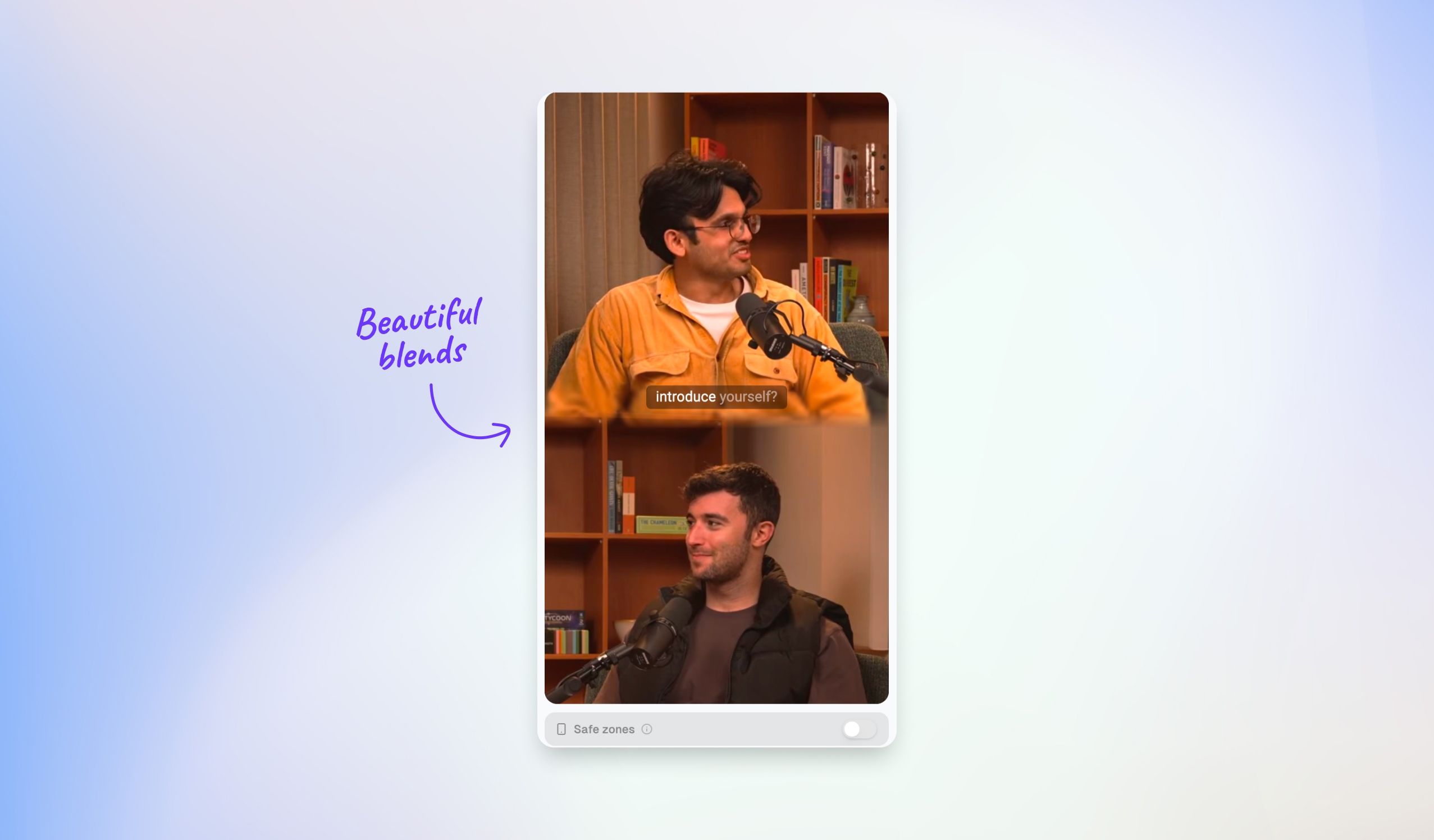
New video styles, transitions and animations
A major upgrade to the performance and stability of the platform
Full editing capability inside Choppity. No more exporting to a separate tool just to tweak a clip.
Multi-scene timeline editing
Zoom, crop, split, and merge scenes
Templates so your edits stay consistent across posts
Built for short-form, but flexible enough for anything
Record your screen straight from Choppity. Walkthroughs, tutorials, demos β all clipped, captioned, and scheduled without ever leaving the app.
Accurate transcripts on every video you upload. Searchable, editable, and ready to be repurposed into shorts, captions, or written content.
If you're plugging Choppity into your own stack, we've got you.
Subscribe to events: asset.creation.succeeded, asset.analysis.succeeded, project.render.succeeded, post.published, and more
Real-time notifications, no polling
Full API docs available
Completely rebuilt frontend β faster, cleaner, more responsive
New storage system so your assets stay organized as your library grows
Reworked analytics across every connected platform
Better social profile management
Tutorials and a community feed baked into the app
This is the foundation. Now that the platform is solid, the pace picks up. More AI throughout the workflow, deeper analytics, team collaboration, and a few things we're not ready to talk about yet.
Choppity 2.0 is live today. Open the app and have a look around.
If you've been with us since the early days β thank you. This release exists because of your feedback. Keep it coming.
Michael
Chief Choppity
April 24th, 2026

We just shipped the Ideas Board β Choppity's built-in social media content planner for every post, campaign, and content idea. Capture the idea, research it, plan it, preview it, schedule it, and post it β all from one place.
This is the first step to Choppity becoming your Content Operating System. You start in Choppity, and you end in Choppity. No more bouncing between Notion, Trello, Notes, Later, and your editor just to get a single post out the door.
End-to-end kanban board: A beautifully animated Backlog β To Do β In Progress β Scheduled board that finally makes planning content feel good to use, not like a chore.
Due dates and tags: Give every idea a deadline and tag it (announcement, tutorial, behind-the-scenes, whatever your workflow needs) so your pipeline stays organized and searchable.
Platform targeting per idea: Choose which platforms each idea is going to β YouTube, TikTok, Instagram, and LinkedIn β right on the card, so you always know where a piece of content is headed.
In-built idea planner (Notion-style doc): Every card opens into a rich doc editor where you can stylize text, drop in images, and paste links. Use it for research, notes, scripts, reference clips, and anything else you want to dump into one place β no more tab-juggling across Google Docs, Notion, and your notes app.
Realistic social media previews: See exactly how your post will look on YouTube, TikTok, Instagram, and LinkedIn before you publish. What you preview is what your audience sees.
Connected to your content calendar: Ideas flow directly into the calendar. You can see the status of every idea, whatβs been posted, and whatβs scheduled β all in one view.
Choppity started as a clipper β the fastest way to turn one long video into thirty short ones. The Ideas Board is the first step in a bigger shift: Choppity is becoming the Content Operating System for creators, podcasters, and content-led businesses.
The whole content workflow β ideation, research, planning, production, preview, scheduling, posting, analysis β all in one tool. One login. One source of truth. No more context-switching.
Click Ideas in the sidebar to open the board.
Hit + New in any column to add an idea β start with just a title if thatβs all you have.
Open the card to write it up in the built-in doc editor. Paste links, drop in images, write your hook.
Pick the target platforms, add a due date, and tag it.
Preview how itβll look on each platform, then drag it into Scheduled to push it to your calendar.
Pro Tip: Treat your Backlog like a creative reservoir. The hardest part of consistent content isnβt shooting β itβs showing up to a blank page. A full Backlog means youβre always one drag away from your next post.
April 20th, 2026

Weβve given captions a major upgrade β with new animated transitions, fresh styles, and smarter Magic effects that finally respect your chosen look.
Caption transitions: You can now pick how your captions animate in with six options β None, Fade Up, Fade Down, Fade Left, Fade Right, and Bounce.
3 new caption styles: Weβve added Modern, Scribble, and Funky to the style library, giving you more ways to match your brand and tone.
Magic effects now inherit your style: Magic effects will now correctly follow the caption style and transition youβve picked β something that wasnβt working properly before.
April 14th, 2026

Weβve completely rebuilt the content calendar to give you a clear, visual overview of every clip youβve posted or scheduled through Choppity.
Consistency is the #1 driver of growth on short-form platforms. The calendar makes it easy to spot gaps in your posting schedule and keep your content pipeline full. No more guessing what you posted last week or when your next clip is going out.